Learnings from the Google UX Design Professional Certificate: Part 1

Currently pursuing my Masters Degree in Computer Science, I'm looking for a job in the Software Development industry. I work on Full Stack with a preference in Front End Development. I also work on UI UX, Data Science, Machine Learning and other related roles.
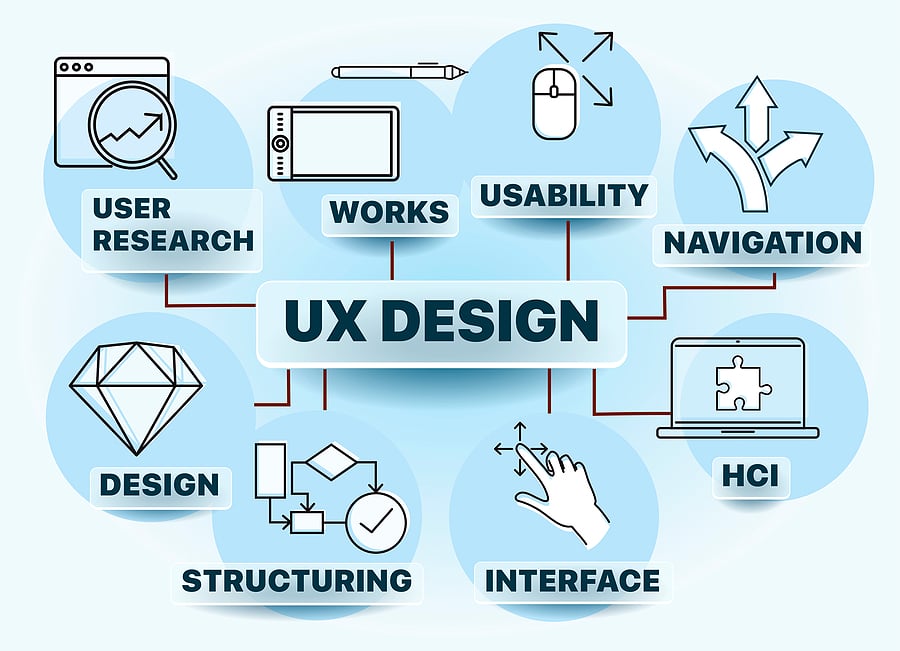
This article will take you through my learnings of the Google User Experience Design Professional Certificate (from doing the necessary UX Research to publishing the final case study after testing the prototypes).
A lot of the content here is taken from the courses, obviously. Hence, the rights of such content belong to the rightful owners: Google and Coursera, and I do not claim them as my own. The article is merely a summary of all the learnings I got through the course (like my notes for all the coursework). I would still recommend anyone interested to enroll in the certification program (the course details are provided below). In no way, I am being sponsored or paid to write this article. It is completely out of interest for anyone else to read about UX and Google UX Certification. Please read, like, comment, and share it with more people if you found it helpful.
This article is Part 1 of this series. More parts will be added soon. Please follow me for updates.
My Background:
As a Computer Science graduate student who has experience in graphic design, video editing, and other media-related crafts. Check out my website! I have some experience in User Interface design (or I thought I did) since I worked for a few months in that field. I have also worked on a lot of front-end projects allowing me to work a little on interface designs. I used to think that UI and UX are very similar (i.e. if I knew UI, I thought I can work on UX too).
So I started applying for UX jobs but I did not understand the process and requirements for UX jobs. I knew I had to show my portfolio projects but: what kind of projects? how to formulate them? which kind of projects would stand out to recruiters? With all these questions, I decided to talk to a few people in the industry to guide me better. They suggested that I take up a boot camp or a course related to UX Design. I looked up a few courses online and decided to take the Google UX Design Professional Certification on Coursera.
Certification/Course Details:
I will not go into the course's in-depth details since many things are covered. However, I will give an outline of everything I got to learn through this professional certificate. It takes you through a lot of things related to the field of UX Design to give you the foundational skills related to the field. The certification is on Coursera and taught by experts at Google working in the UX field. Here is the Link!
The course offers a 7-day free trial that allows you to see if this course is for you. If you like the course, you can pay $39 per month to continue taking the course and accessing the course material. If you spend 10 hours a week, the estimated time to finish this course is 6 months. However, the course is completely self-paced. So, if you spend more time in a week, you can finish it earlier too. You will keep paying $39 per month every month until you finish the certification or until you cancel the subscription. Personally, it took me 2 months to finish the course and understand it well. There are some topics/modules that I skimmed through though because I found them easy or I knew what they were teaching already. My schedule was a little irregular too because I had a lot of other things to work on. The bottom line is that it is completely up to you, how long it will take to finish this certification.
The course is for anybody interested to get a job in the field of User Experience Design. There are no prerequisites but it would be handy to have some experience with a design tool like Adobe XD, Figma, Sketch, Adobe Illustrator, etc. If you don't know any of these tools, that's okay! The course provides you with resources to learn these tools too. The instructors use Figma and Adobe XD to teach the course. If you are familiar with any other design tool, you can use that too. But I'd recommend you to use Figma and Adobe XD too because they are easy to use to make prototypes.
What you will learn (according to the instructors themselves):
Follow the design process: empathize with users, define pain points, ideate solutions, create wireframes and prototypes, test and iterate on designs
Understand the basics of UX research, like planning research studies, conducting interviews and usability studies, and synthesizing research results
Apply foundational UX concepts, like user-centered design, accessibility, and equity-focused design
Create a professional UX portfolio that includes 3 end-to-end projects: a mobile app, a responsive website, and a cross-platform experience
You will learn everything in the certification program through a mix of videos, assessments, readings, and hands-on activities. Let me remind you that this course teaches about UX (User Experience) - the interaction that users have with products, like websites, apps, and physical objects. Although you will be designing a few interfaces and prototypes, the courses do not focus on UI (User Interface). UI is about how a product looks (the visual) and UX is about how a product feels (experience) while using it. Though there is an overlap sometimes, both of them are completely different.
This professional certification program has 7 courses that teach you how to become a UX designer.
Foundations of User Experience (UX) Design
Start the UX Design Process: Empathize, Define, and Ideate
Build Wireframes and Low-Fidelity Prototypes
Conduct UX Research and Test Early Concepts
Create High-Fidelity Designs and Prototypes in Figma
Responsive Web Design in Adobe XD
Design a User Experience for Social Good and Prepare for Jobs
Although the courses say Figma and Adobe XD, you can use any other similar design tool and follow along. That is pretty much what the certification offers. For more details, you can check the link and read the curriculum.
You can also enroll in individual courses that interest you, rather than taking all 7 courses but the price will be the same: a $39/month subscription (meaning the $39/month will give you access to all 7 courses in the certification program but it's up to you on how many courses you want to complete). You will earn a certificate upon completion of each course, individually or together. However, the professional certificate can only be earned upon finishing all 7 courses in this program.
Read these articles for more info about the certificate program:
In the rest of this article, I will briefly give a summary of the entire UX Design process that I got to learn through this certification and other things that I got to learn.
Basics of User Experience Design
The purpose of a UX designer is to make any product or service have the following features:
Usable - Easy to use for anybody
Equitable - Considers every kind of user from diverse backgrounds (like people with disabilities, people from different regions, etc.)
Enjoyable - Have a positive experience while using it
Useful - Solves the problem that a user faces
UX Careers

There are so many jobs in UX. Again, UX is NOT UI. While designing the visual aspect of a product is a part of UX, there is a lot more to being in the field of UX (User Experience). A UX designer thinks about how a user feels while using a product or service. Their job is to ensure that the user is having the best experience. While a UI (User Interface) Designer or a Graphic Designer focuses ONLY on how a product or service looks to the user. In a small company or a startup, sometimes a UX designer looks after everything related to UX. In a big company, since there is a lot of work happening and a lot of people are working in UX, there are designated roles for each of them. There could be outliers but this is the case in most organizations. Some common UX jobs:
Interaction Designers - focus on the experience of a product and how it functions
Visual Designers - focus on how the product looks
Motion Designers - focus on how the user navigates through the product
AR/VR Designers - design immersive experiences in a virtual or augmented environment
UX Researchers - conduct studies or interviews that examine how people use a product
UX Writers - think about how to make the language within a product clearer
UX Program Managers - ensure clear and timely communication, so that the process of building a useful product moves smoothly from start to finish
UX Engineers - translate the design’s intent into a functioning experience (sometimes also called Frontend Engineers)
Conversation Designers - design the conversation between a device and a user similar to a natural setting
These are some common jobs in UX. You can explore more online. Some common responsibilities of an entry-level UX Designer are:
User research - understanding the people who use your product
Information architecture - IA for short, involves deciding how your product is organized and structured
Wireframing - making a basic outline or sketch of a product or a screen
Prototyping - making an early model of a product that demonstrates its functionality
Visual Design - focuses on how the product or technology looks
Effective Communication - connecting with your colleagues through emails, meetings, presentations, and design software
Types of UX designers are:
Specialist - dives deep into one type of UX design, like interaction, visual, or motion design, and becomes an expert
Generalist - has a broad number of responsibilities and almost does everything
T-shaped Designer - a specialist who also has a lot of capabilities in other areas
Common Places to work or look jobs at:
Small Companies or Startups
Big Companies
Design Agencies
Advertising Agencies
As a Freelancer
Product Development Life Cycle

Every new product, whether it’s an app or a physical object, follows a specific set of steps that take it from the first spark of an idea to the release of the final product. This is called the product development life cycle, and it has five stages: brainstorm, define, design, test, and launch. Depending on where you work, the exact names of each stage might be a little different, but the overall process is generally the same.
Brainstorm - The first stage of the product development life cycle is the brainstorm stage, when the team starts thinking of an idea for a product.
Define - The second stage of the product development life cycle brings together UX designers, UX researchers, program managers, and product leads to define the product. The goal is to figure out the specifications for the product by answering questions like: Who is the product for? What will the product do? And, what features need to be included for the product to be successful?
Design - At this stage, UX designers develop ideas for the product. Generally, UX designers start by drawing wireframes, which are outlines or sketches of the product, then move on to creating prototypes, which are early models of a product that convey its functionality.
Test - Next, your designs move into the test stage. UX designers work with engineers to develop functional prototypes that match the original designs, including details and features that fit the company’s brand, like font and color choices. This also means writing the code and finalizing the overall structure of the product. At this stage, the designs go through at least three phases of testing: internal tests within your company, reviews with stakeholders, and external tests with potential users. A stakeholder is a person you need to work with to complete the project or anyone who has some interest in the project, either within or outside of the company.
Launch - Finally, you’ve arrived at the fifth and final stage of the product development cycle: the launch stage, when the product is released into the world! This might involve listing an app in the Google Play Store or Apple’s App Store, making a website go live, or putting a physical product on store shelves.
User-Centered Design
In the field of user experience design, the “user” comes first. One of the key challenges of getting to know your users is, avoiding taking a narrow view of the user or making assumptions about what users need based on stereotypes. Users who seem to be different from one another might have shared wants and needs. Make sure to step back and get a clear picture of all your potential users–which often means that you’ll need to specifically plan to address the needs of users who are often overlooked. To reach as many users as possible, you’ll consider questions such as these as part of your user research approach:
Do my users have impairments or disabilities to consider–whether temporary, situational, or permanent?
How familiar are my users with technology?
How are my users accessing the product or service?
Where and when are my users accessing the product or service?
Have I considered all my potential users?
Design Thinking Framework
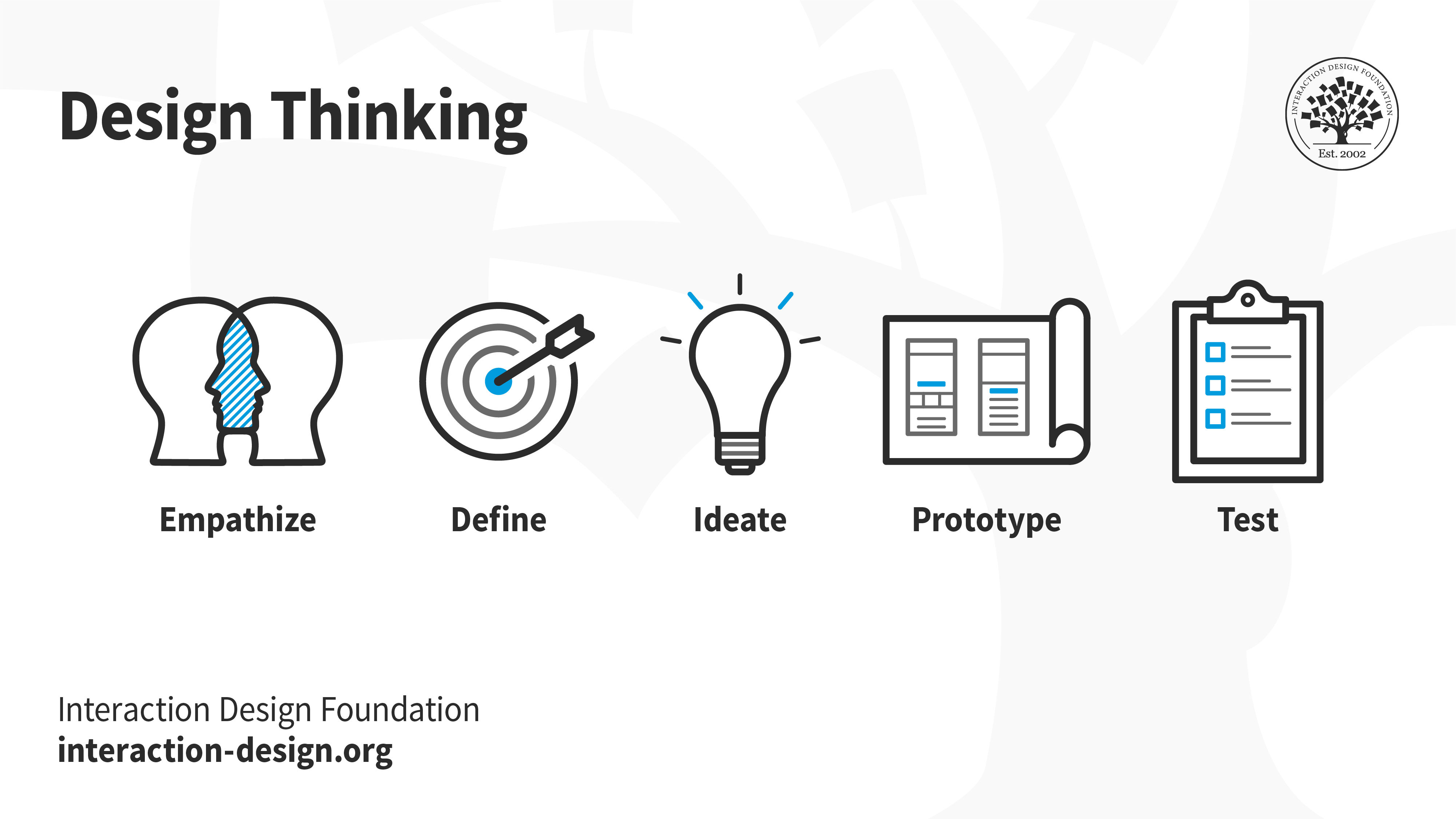
In the world of UX design, a framework is a conceptual tool that guides the best practices and processes for solving problems and building solutions that solve the problems of real users. Frameworks provide structure for the design process and foster collaboration, which can spark innovations.
Though it may sound like a linear process, the Design Thinking framework should be iterative, which means that you’ll repeat certain phases as you refine your designs. For example, depending on the feedback you receive during testing, you might need to conduct additional research, brainstorm new ideas, or develop new prototypes. The 5 Steps in Design Thinking:
Empathize - learn more about the user and their problems, wants, and needs, and the environment or context in which they’ll experience your design
Define - analyze your research findings from the empathize phase and determine which user problems are the most important ones to solve, and why
Ideate - come up with as many design solutions as possible: don’t settle for your first solution because the most obvious solution is not always the right one
Prototype - produce an early model of a product that demonstrates its functionality and can be used for testing
Test - test your designs at each stage of prototype development rather than waiting to test until after the working prototype is complete to understand the user's feedback
User Accessibility
Accessibility refers to designing products, devices, services, or environments for people with disabilities. Accessible designs allow users of diverse abilities to navigate, understand, and use your product.
Some references and additional reading:
Designing for Global Accessibility, Part I: Awareness is everything
Designing for Global Accessibility, Part II: Context matters
Designing for Global Accessibility, Part III: Be inclusive by default
Designing Cross-Platform Experiences
When designing a new product or feature, it’s important to think about the different types of platforms that the design will be experienced on: desktops, mobiles, laptops, watches, TVs, etc. Some features to consider:
Screen Size
Interaction
Content Layout
Functionality
Design Sprint
A design sprint kit is typically a time-bound process with 5 phases that make the design process more efficient. The 5 phases are: Understand, Ideate, Design, Prototype, Test. Notice how these 5 phases are similar to the 5 Steps in the Design Thinking Framework. More resources to learn Design Sprint:
Sprint by the creator of design sprints, and former Googler, Jake Knapp (a book)
Article on what one UX designer learned from their very first design sprint
Every design sprint is an opportunity for your team to learn something new. This is especially useful for entry-level UX designers joining a design sprint for the first time.
During a design sprint, the focus is on:
Understanding the design challenge
Ideating solutions
Deciding which solutions to build
Prototyping a few solutions
Testing those prototypes
Immediately following the design sprint, your team should hold a retrospective. A retrospective is a collaborative critique of the design sprint. The goal of a retrospective is to make sure everyone who took part in the sprint has the chance to give feedback and think about opportunities for improvement.
The key questions to ask during a retrospective are:
What went well?
What can be improved?
UX Research
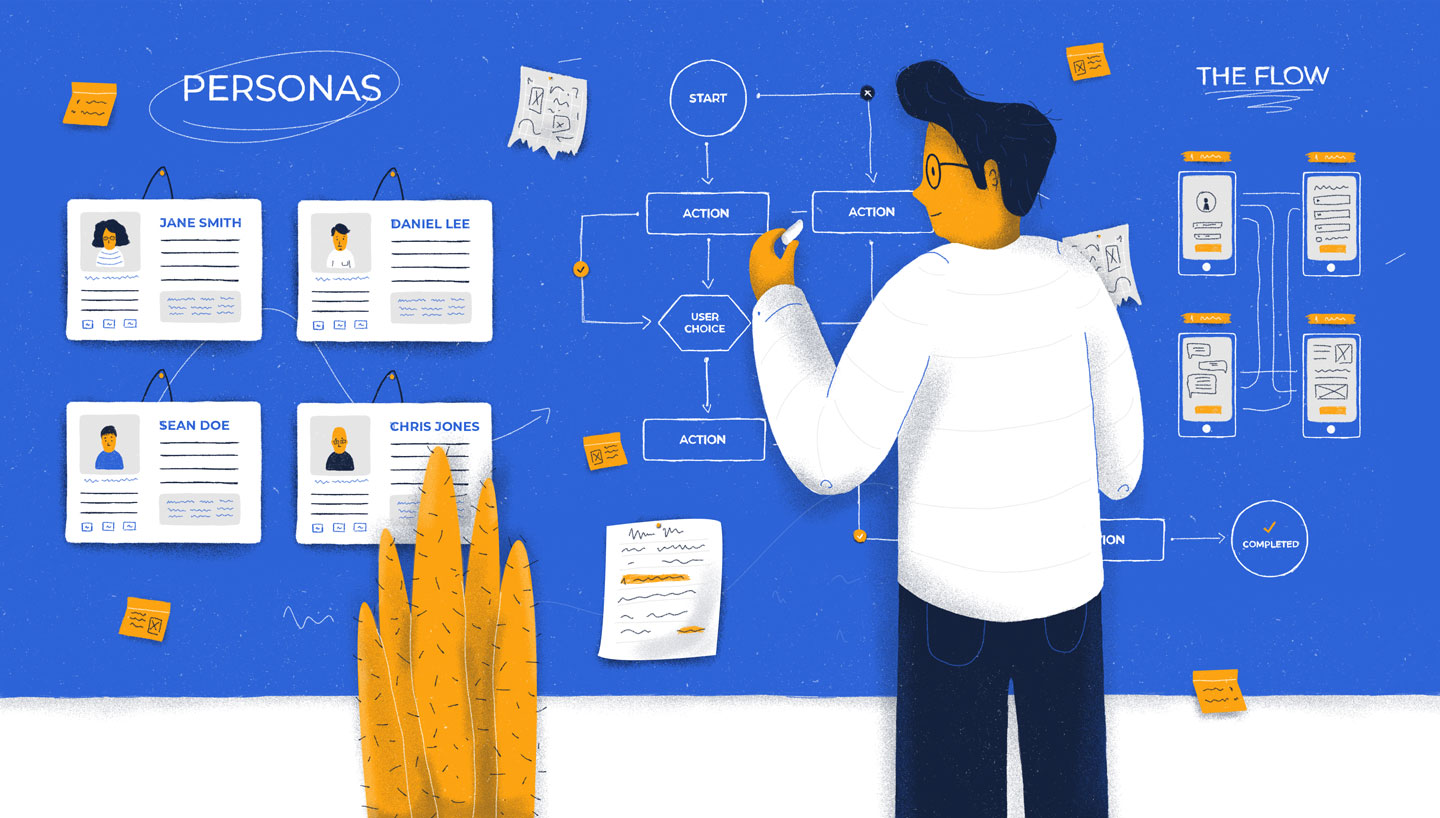
There are two key parts to every UX design project: conducting research to learn about the users you’re designing for, and gathering feedback about their perspectives. UX design is all about putting the user first, and research helps designers understand those users.
UX research focuses on understanding user behaviors, needs, and motivations through observation and feedback. Your product design should be built upon research and facts, not assumptions. UX research aligns what you, as the designer, think the user needs with what the user actually needs.
Foundational research is always done before you start designing. Questions you might consider during foundational research include:
What should we build?
What are the user’s problems?
How can we solve those problems?
Am I aware of my own biases, and am I able to filter them as I do research?
Common foundational research methods include:
Interviews: A research method used to collect in-depth information on people's opinions, thoughts, experiences, and feelings. You’ll often conduct interviews of your target users themselves.
Surveys: An activity where many people are asked the same questions in order to understand what most people think about a product.
Focus groups: A small group of people whose reactions are studied. For example, your focus group might bring together eight users to discuss their perspectives about new features in your design. A focus group is usually run by a moderator who guides the group on a certain topic of conversation.
Competitive audit: An overview of your competitors’ strengths and weaknesses. You'll conduct your own competitive audit later in the course, so you will understand this research method well!
Field studies: Research activities that take place in the user's context or personal environment, rather than in an office or lab.
Diary studies: A research method used to collect qualitative data about user behaviors, activities, and experiences over time. Often, a user will log, or diary, about their daily activities and provide information about their behaviors and needs, which can help inform your designs.
Design research is done while you design. The most common method used to conduct design research is a usability study, which is a technique to evaluate a product by testing it on users. The goal of usability studies is to identify pain points that the user experiences with your prototypes, so the issues can be fixed before the product launches. You’ll conduct your own usability study in the next course of this certificate program. Additional research methods that might be used to conduct design research include:
A/B testing: A research method that evaluates and compares two different aspects of a product to discover which of them is most effective. For example, you might have users evaluate two layouts for the homepage of your app to find out which layout is more effective.
Cafe or guerrilla studies: A research method where user feedback is gathered by taking a design or prototype into the public domain and asking passersby for their thoughts. For example, you might sit in a local coffee shop and ask customers if they would be willing to test your app design for a couple of minutes and provide feedback.
Card sorting: A research method that instructs study participants to sort individual labels written on notecards into categories that make sense to them. This type of research is largely used to figure out the information architecture of your project, which we’ll discuss in the next course of the program — Course 3: Build Wireframes and Low-Fidelity Designs.
Intercepts: A research method that gathers on-site feedback from users as they engage in the activities being researched. Intercepts are often conducted in the field, so this type of research is often considered a subset of field research. An intercept study can provide quick, high-level feedback.
Post-launch research is done after the design is complete and your product has launched. Within the product development life cycle, post-launch research happens after the launch stage (stage five) to help validate that the product is meeting user needs through established metrics. Research methods you might use to conduct post-launch research include:
A/B testing
Usability studies
Surveys
Logs analysis: A research method used to evaluate recordings of users while they interact with your design, tools, etc.
There are two ways to categorize research: who conducts the research and the type of data collected.
The first way to categorize research is based on who conducts the research: primary research and secondary research.
Primary research is research you conduct yourself. Information from direct interactions with users, like interviews, surveys, or usability studies, are considered primary research.
Secondary research is research that uses information someone else has put together. For example, using information from sources like books, articles, or journals is considered secondary research.
The second way to categorize research is based on the type of data collected: qualitative or quantitative.
Qualitative research is primarily collected through observations and conversations. Qualitative research is based on understanding users’ needs and aims to answer questions like “why” or “how did this happen?”
Quantitative research focuses on data that can be gathered by counting or measuring. Quantitative research is based on numerical data that’s often collected from large-scale surveys. This type of research aims to answer questions like “how many?” and “how much?”
More resources about User Research:
The human brain is an incredible processing machine, and it can store an amazing amount of information. One way brains are able to store so much information is by creating mental shortcuts based on repeated patterns. These shortcuts allow humans to relate and group information together for quicker processing. But, these repeated patterns of thinking can lead to inaccurate or unreasonable conclusions that are biased — favoring or having prejudice against someone or something. Biases can seriously impact your user research and negatively influence the design of your final product. So, let’s explore how bias can affect your work as a UX designer and how to combat it during your research.
How to prevent bias:
Choose your words carefully (framing effect)
Foster independent thinking (bandwagon effect)
Avoid specific language (confirmation bias)
Limit the guidance you give users (false consensus)
Consider users’ tone and body language (implicit biases)
Be careful of your own body language and reactions (social desirability bias)
Plan your research effectively (availability bias)
Remain open minded (primacy bias, recency bias)
End of Part 1 of this article!
Thank you for taking the time to read this article. I will write the other parts and post them soon. Please follow to stay updated. Once again, some of the contents of this article belong to Google and Coursera, and I am merely writing my learnings from them.
The author: Lohith Bollineni ( https://www.belohith.com )